Gemini 3 Pro vs. Claude 4.5: The Ultimate Workflow for Research & Academic Writing
A practical comparison of Gemini 3 Pro and Claude 4.5 for academic research and writing, with a hybrid workflow that leverages each model's strengths for better results.
If you're searching for "Gemini 3 vs. Claude 4.5" as a student or researcher, you're not looking for coding benchmarks or leaderboards.
You're really trying to figure out:
- Which one can read a 50-page PDF without freezing?
- Which one writes essays that don't sound like a corporate memo?
- Which one won't hallucinate citations and tank my grade?
Both models get hyped as "state-of-the-art," but in academic work they behave like completely different tools.
The Short Verdict
- Gemini 3 Pro → Great for finding fresh sources, but its writing reads rigid and formulaic.
- Claude 4.5 → Excellent reader, analyzer, and writer — but unreliable for real-time citations.
You don't need to crown a winner.
You need to understand the right moments to use each one.
This breakdown focuses specifically on the Student Workflow: reading dense material, drafting essays, finding citations, and building arguments that hold up.
⚡ Quick Comparison for Students
Best for Deep Reading & Analysis: Claude 4.5
Unmatched context window and reasoning.
Best for Finding Real Sources: Gemini 3 Pro
Live Google Search makes it ideal for updated citations and examples.
Best Writing Voice: Claude 4.5
More natural, less templated.
Best for Last-Minute Studying: Gemini 3 Pro
Rapid summaries, fast study guides, and quick topical overviews.
🏆 The "Perfect Grade" Workflow (Use Both — Not One)
If you take one thing away from this comparison, make it this:
The smartest students don't rely on a single AI model. They build a pipeline.
Here's the hybrid system I use to manage complex research projects without 20 tabs open:
Step 1: The Hunter — Gemini 3 Pro
Start with Gemini. Its Google Search connection makes it ideal for gathering the most recent studies, statistics, and real citations.
Prompt:
"Find 5 recent academic articles on [Topic] published after 2023. Summarize each and include URLs."
Gemini gives you the raw materials.
Step 2: The Analyst — Claude 4.5
Take those sources (or upload the PDFs directly) into Claude. Ask it to synthesize, compare, critique, and build your argument.
Prompt:
"Using these 5 sources, outline the strongest argument for [Thesis]. Quote specific data points."
Claude turns scattered research into clean, structured reasoning.

Related Article
How Students Can Use AI to Study More Efficiently
A simple guide to using AI tools for smarter studying, better organization, and faster research—without breaking academic rules or relying on AI to write your papers.
Read Now →Step 3: The Command Center — Notion
Here's where most students lose points:
They keep everything inside temporary chat windows — and it disappears.
You need one system that stores:
- your sources
- your AI summaries
- your outlines
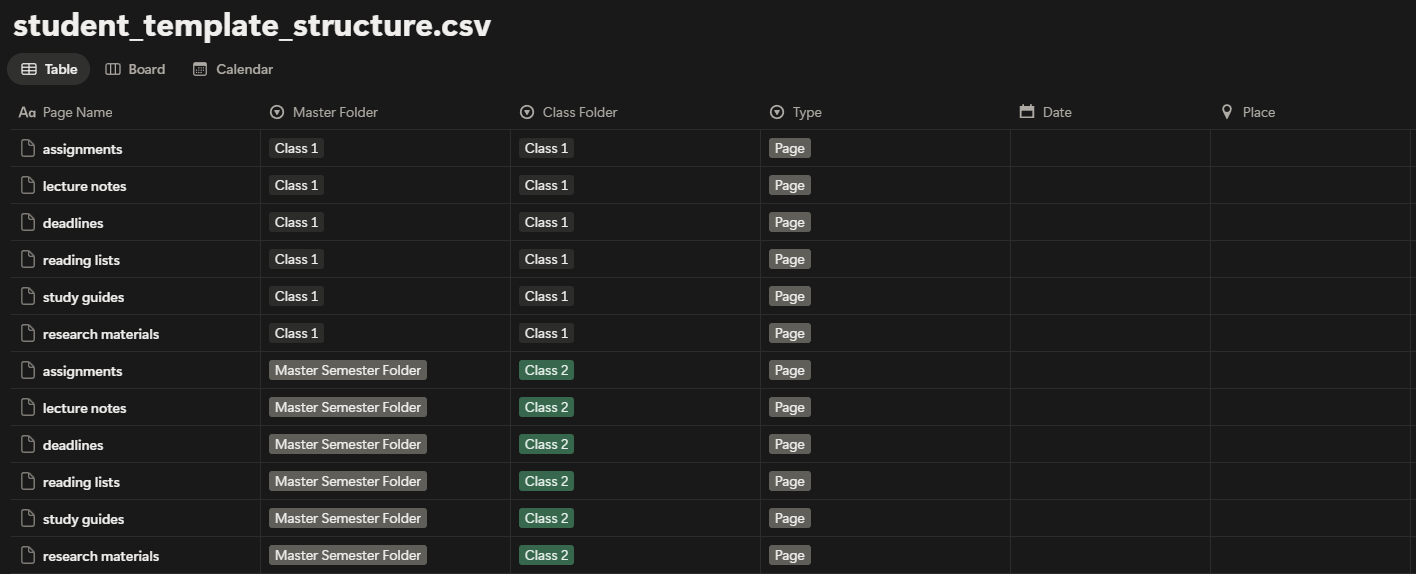
- your deadlines
- your draft progression
That's why I built the Student Notion Dashboard + AI Study System.
It's designed specifically to support this hybrid workflow.
Lecture Notes Database:
Perfect for storing Claude's analysis next to your own insights.
Research Tracker:
A dedicated place to save every citation Gemini finds.
Assignment Tracker:
Makes deadlines visible so you always know when to switch from "research mode" to "writing mode."
Don't let your research vanish the moment you close the chat tab.
Download the Student Notion Dashboard + AI Study System
Get the complete system designed for AI-enhanced academic workflows.
Get Started ($19)Start Free: Simple Assignment Tracker
Not ready for the full dashboard? Start with our free assignment tracker — a simple Notion template that helps you keep track of deadlines, assignments, and due dates.
It's a lightweight version perfect for getting organized without overwhelm. Import it into Notion and start tracking your assignments today.
📋 Download the Free Assignment Tracker
Drop your email below and get the Notion-ready assignment tracker sent instantly. No spam. Just free tools.
Related Reading
Explore more AI tools and workflows:
- How Students Can Use AI to Study More Efficiently
- How I Use AI to Organize My Week Inside Notion
- Stop Chasing Every New AI Tool — Here's What's Actually Worth Learning
- AI Prompting Essentials — The Skills Every Creator Needs in 2025
Ready to build your content engine?
Get a free 20-minute audit of your current processes and discover which workflows you can automate today.