How I Use AI to Organize My Week Inside Notion
A simple system for creators, consultants, and solo operators who want clarity — not chaos.

If you're juggling content, clients, and multiple projects, you don't need more tools.
You need a weekly operating system powered by AI—and Notion is the perfect home for it.
This is the exact process I use every week to stay consistent, organized, and productive. For more on building your Notion foundation, see this guide.
1. My Weekly Dashboard = Mission Control
Everything still starts in one place: a central Notion dashboard that acts as my "home screen" for the week.
Lopez Productions Dashboard contains eight core workspaces:
- Command Center
- Strategy & Research
- Content Engine
- Marketing Channels
- Sales & Revenue
- Operations & Systems
- Brand & Assets
- Archive (Cold Storage)
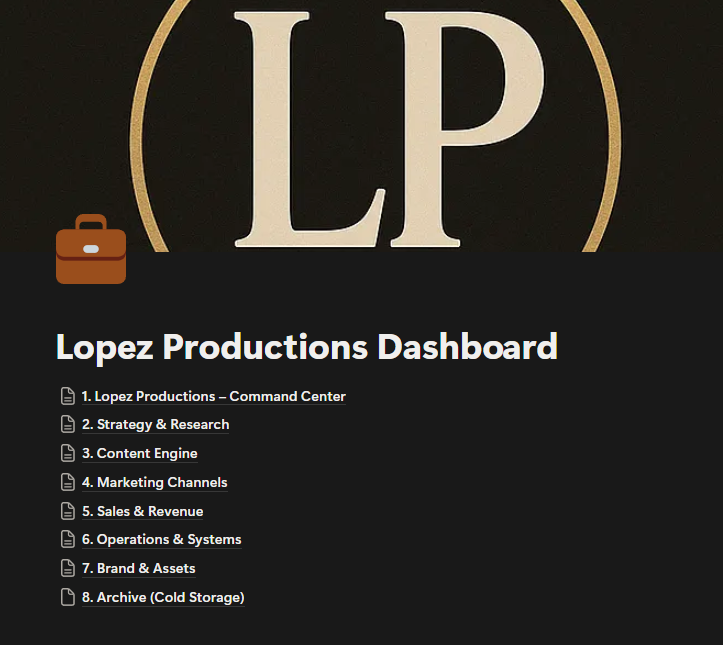
I use this structure to context-switch intentionally rather than randomly. Everything I do is mapped to one of these core operating areas.
2. Every Monday, I Manually Review and Write My Weekly Plan
I no longer generate my weekly plan with AI — I manually assess my current workload using the Idea Capture database as input.
Here's what I look at:
- What was captured last week?
- What's still pending?
- Which projects are getting momentum?
- What systems or workflows need upgrading?
This manual process takes about 15–20 minutes and gives me a mental reset without AI hallucinating what's important. I write my top 3–5 priorities directly in the weekly dashboard.
3. Idea Capture = Real-Time Thinking Inbox
This is where everything starts.

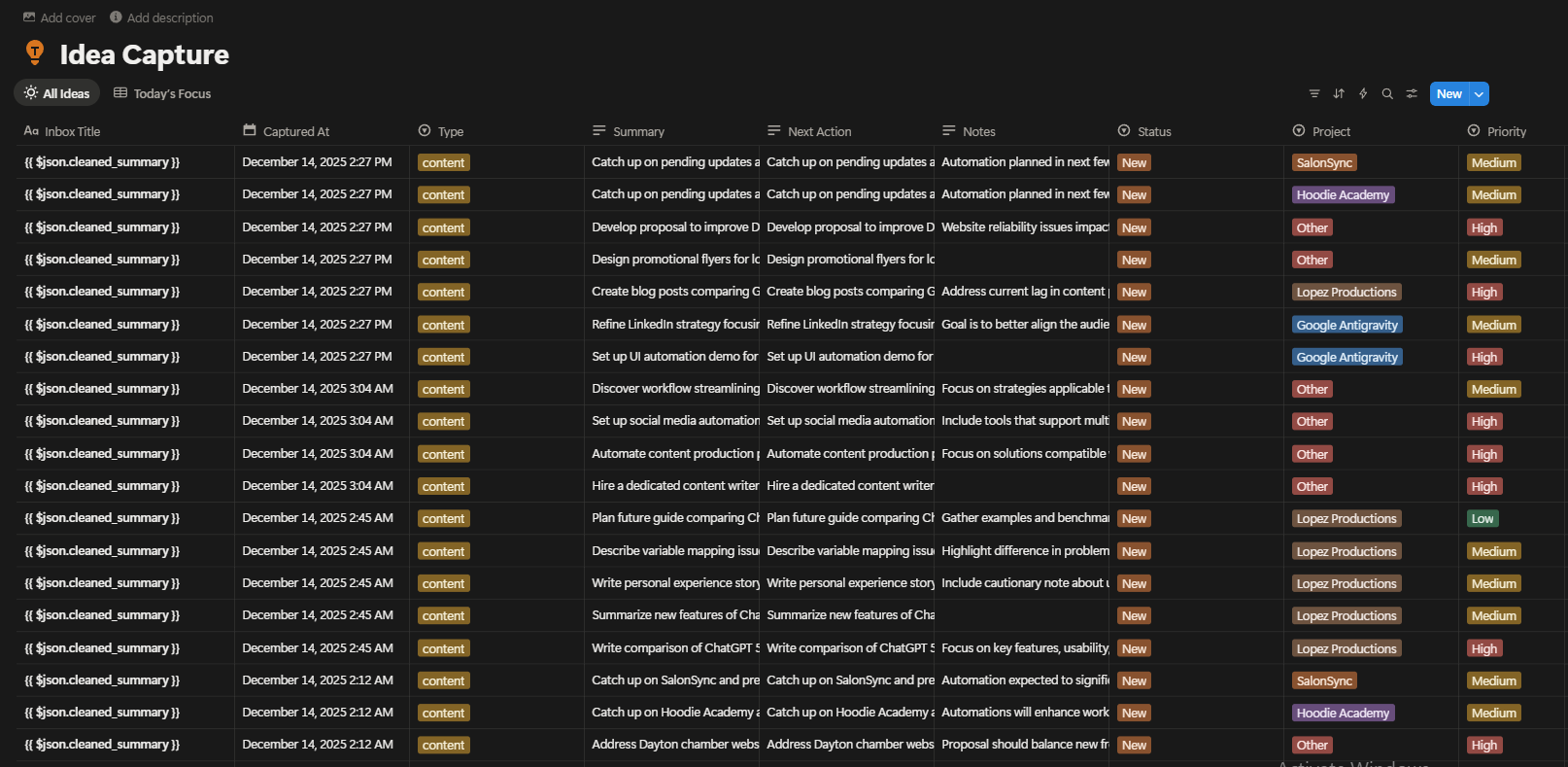
(You can insert the screenshot you uploaded of the Idea Capture board here)
The Idea Capture database stores notes, ideas, tasks, and workflow observations across all areas of Lopez Productions. Each entry includes:
- Type (content, client, system, etc.)
- Summary
- Next Action
- Project
- Priority
- Status
The columns help me sort by actionability, not just noise.
Example:
- High-priority, project-tagged ideas go straight into my weekly dashboard.
- "New" items with vague summaries get clarified or archived.
This lets me batch by priority and energy:
| Task Type | Ideal Time |
|---|---|
| High-focus items | Morning blocks |
| Content ideas | Midday creative slots |
| Admin cleanup | Afternoon low-energy time |
4. My Content Engine Uses n8n to Draft Weekly Posts
While I don't use AI to plan my week anymore, I do use it to accelerate content creation.
Inside the Content Engine, I've built an n8n automation that helps me:
- Turn one core idea into multiple platform-native posts
- Generate drafts for X, LinkedIn, and Reddit
- Reformat tone and voice using separate AI agents
- Keep everything organized in a Notion content calendar
I still edit every post before publishing — but this system removes the "blank page" fear. It feels like working with a creative assistant, not replacing myself.
For a deeper breakdown of the workflow, see the featured section at the bottom.
5. Sunday Review: My Weekly "Report Card"
At the end of the week, I do a structured review inside Notion.
I run a prompt like:
"Summarize what I completed, what got delayed, and the patterns you notice. Suggest 3 improvements for next week."
Sometimes I let GPT run this. Other times I reflect manually and just use the structure. Either way, this loop helps me:
- Reduce carryover tasks
- See where I dropped the ball
- Reinforce what's actually working
6. Why This System Works
Most people fail at weekly planning because they:
- Overcommit to unrealistic goals
- Don't track what's working
- Forget to review progress
- Restart every Monday from scratch
My system works because:
I recycle my own captured data
Notion keeps everything in one place
I only plan what I can actually finish
My workflows improve every week
It's simple, repeatable, and personalized.
Want This Setup for Your Own System?
I turned this into a full Notion + AI playbook that includes:
- Dashboard templates
- Planning + review prompts
- Content engine setup
- Workflow architecture
Or book a personal buildout here:
🗂 Related Articles
⚙️ Featured Workflow: Multi-Agent Content Drafting via n8n + Notion
(Insert this image directly below as visual reference)

This is my custom n8n workflow:
- RSS feed → trigger
- AI agents rewrite for platform tone
- Drafts saved to Notion for review
- Final posts are published manually
It's the easiest way to turn one blog post → three platform-native drafts in seconds without losing your voice.
Want to install this system in your stack? Get the workflow
💡 Download the Free Idea Bank Template
Drop your email below and get the Notion-ready .CSV sent instantly. No spam. Just free tools.
Ready to Scale Your Brand?
If you're ready to scale your brand, automate your workflow, and build systems that create clarity—not stress—AI + Notion is the perfect place to start.
I build these systems for creators and small teams every day.